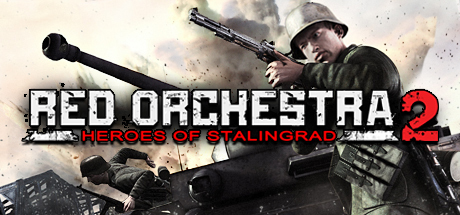
Red Orchestra 2: Heroes of Stalingrad with Rising Storm
To run Red Orchestra 2: Heroes of Stalingrad with Rising Storm (2011) on PC you need at least a Dual Core 2.3 GHz or better processor and a 256 MB SM 3.0 DX9 Compliant NVIDIA® GeForce 7800 GTX or better ATI® Radeon® HD 2900 GT or better, with 2GB of RAM and 23GB of free storage. For higher settings and frame rates, the recommended specs are a Quad Core 2.6 GHz or better and a 512 MB SM 3.0 DX9 Compliant NVIDIA® GeForce GTX 260 or better ATI® Radeon® HD 5750 or better with 3GB of RAM. Check your exact PC against Red Orchestra 2: Heroes of Stalingrad with Rising Storm with our free Can I Run It tool, estimate your frame rate with the FPS Estimator, or see the best GPU for Red Orchestra 2: Heroes of Stalingrad with Rising Storm.
System Requirements
Minimum
- CPU: Dual Core 2.3 GHz or better
- GPU: 256 MB SM 3.0 DX9 Compliant NVIDIA® GeForce 7800 GTX or better ATI® Radeon® HD 2900 GT or better
- RAM: 2
- Storage: 23
Recommended
- CPU: Quad Core 2.6 GHz or better
- GPU: 512 MB SM 3.0 DX9 Compliant NVIDIA® GeForce GTX 260 or better ATI® Radeon® HD 5750 or better
- RAM: 3
- Storage: 23
Building a PC to play Red Orchestra 2: Heroes of Stalingrad with Rising Storm at its best
Meeting the Red Orchestra 2: Heroes of Stalingrad with Rising Storm minimum requirements (a 256 MB SM 3.0 DX9 Compliant NVIDIA® GeForce 7800 GTX or better ATI® Radeon® HD 2900 GT or better) is enough to launch the game, but it won't give you high frame rates at 1440p or 4K. The recommended 512 MB SM 3.0 DX9 Compliant NVIDIA® GeForce GTX 260 or better ATI® Radeon® HD 5750 or better is a solid target, and stepping up to a GeForce RTX 5070 Ti, RTX 5080 or Radeon RX 9070 XT gives you the headroom for ultra settings, ray tracing and high-refresh play. On mid-range cards, DLSS 4 and FSR frame generation can lift Red Orchestra 2: Heroes of Stalingrad with Rising Storm's frame rate substantially, while a flagship RTX 5090 drives 4K at maximum settings.
The processor matters just as much: pairing your graphics card with a Ryzen 7 9800X3D or an Intel Core Ultra, at least 3GB (ideally 32GB) of DDR5 RAM and a fast Gen5 NVMe SSD removes the stutter and long load times that can hold Red Orchestra 2: Heroes of Stalingrad with Rising Storm back. For modern textures at 4K, aim for a GPU with 12–16GB of VRAM so you never run short.
The same premium components also decide whether your rig is VR ready: if you game in virtual reality on a Meta Quest 3, Valve Index or PlayStation VR2, a strong GPU and CPU are what hold a steady 90 FPS. Check your exact setup against Red Orchestra 2: Heroes of Stalingrad with Rising Storm with the free Can I Run It tool, or see the best GPU for Red Orchestra 2: Heroes of Stalingrad with Rising Storm.
Red Orchestra 2: Heroes of Stalingrad with Rising Storm — Frequently Asked Questions
What are the minimum requirements for Red Orchestra 2: Heroes of Stalingrad with Rising Storm?
Red Orchestra 2: Heroes of Stalingrad with Rising Storm needs at least a Dual Core 2.3 GHz or better CPU and a 256 MB SM 3.0 DX9 Compliant NVIDIA® GeForce 7800 GTX or better ATI® Radeon® HD 2900 GT or better graphics card, 2GB of RAM and 23GB of storage.
What are the recommended specs for Red Orchestra 2: Heroes of Stalingrad with Rising Storm?
For a smooth experience, Red Orchestra 2: Heroes of Stalingrad with Rising Storm recommends a Quad Core 2.6 GHz or better and a 512 MB SM 3.0 DX9 Compliant NVIDIA® GeForce GTX 260 or better ATI® Radeon® HD 5750 or better with 3GB of RAM.
How much RAM does Red Orchestra 2: Heroes of Stalingrad with Rising Storm need?
Red Orchestra 2: Heroes of Stalingrad with Rising Storm requires 2GB of RAM as a minimum, with 3GB recommended.
What GPU do you need to run Red Orchestra 2: Heroes of Stalingrad with Rising Storm?
The minimum graphics card for Red Orchestra 2: Heroes of Stalingrad with Rising Storm is a 256 MB SM 3.0 DX9 Compliant NVIDIA® GeForce 7800 GTX or better ATI® Radeon® HD 2900 GT or better, while a 512 MB SM 3.0 DX9 Compliant NVIDIA® GeForce GTX 260 or better ATI® Radeon® HD 5750 or better is recommended for higher settings. Check any GPU against this game with our Can I Run It tool.